Marketing agent — skill + source code
The working marketing agent from the video. A Claude skill you can drop into your own workspace today.
Grab the skill
The marketing skill lives inside the same project repo, under .claude/skills:
github.com/user-sarang/building-an-ai-native-business-using-claude/tree/main/.claude/skills
If you haven't cloned the repo yet:
git clone https://github.com/user-sarang/building-an-ai-native-business-using-claude.git
cd building-an-ai-native-business-using-claude
The marketing skill is one of several inside .claude/skills/ — open that folder and you'll see the skill definition file plus any supporting prompts.
How to use it
- Copy the marketing skill folder into your own Claude Cowork workspace under
.claude/skills/.
- Open the skill's main file and skim the system prompt — it tells you what inputs the skill expects (brand voice, audience, channel, etc.).
- Invoke the skill from a chat in Claude Cowork. Hand it your brief and let it draft the content.
- Iterate. The skill is a starting point — tune the prompt to your brand's voice and your actual channels.
What the skill does well
- Draft channel-specific posts (LinkedIn, Instagram, X, newsletter) from a single brief
- Repurpose long content (podcast, video, essay) into short atomised posts
- Generate hook variants for the same idea so you can A/B test
- Build a weekly content calendar from a few pillar topics
Make it yours
- Edit the skill prompt to bake in your brand voice, banned words, and house style.
- Add a "research" step that pulls competitor posts before drafting.
- Swap the channels list for the platforms you actually publish on.
Want to build agents like this one for your own business — with one-on-one feedback?
Apply for the live 8-week cohort →
8 weeks. 16 live sessions. A 1:1 with Sarang. Offered via Crio.do.
The Complete Toolkit — Your Copy is on the Way
Thanks for signing up. Here's what's heading to your inbox in the next few minutes:
Inside the toolkit
- 90+ prompts — sales, support, ops, marketing, finance. The exact prompts I use to run my own business with Claude Cowork.
- Claude Cowork workspace template — opens straight into Cowork with the right project structure, memory, and roles pre-configured.
- 12 SOP & briefing templates — paste-in formats for client briefs, weekly business reviews, hiring briefs, content calendars and more.
- Workflow diagrams — PNG + editable source for the 8 most common AI workflows. Drop into your Notion, Miro, or pitch deck.
📬 The full pack will land in your inbox at the email you just gave me. Add hello@sarang.tech to your contacts so it doesn't sit in spam.
Start while you wait — 3 prompts to try right now
You don't need the full pack to get value. Open Claude Cowork and try these:
1. The "what to automate first" audit
Act as my COO. I'm going to describe what I do in a typical week.
Ask me 5 sharp questions to understand where my time goes.
Then tell me the 3 workflows I should automate first with Claude — ranked by hours saved per week vs. effort to set up.
2. The weekly business review
I'm going to paste my numbers below — revenue, leads, customer support tickets, top wins, top issues.
Write me a 1-page weekly review I could send to a board or a mentor.
Structure: what worked, what didn't, what I'm changing, what I need help with. Keep it tight.

[paste your numbers here]
3. The "inbox triage" partner
I'm going to paste 5 client emails below.
For each: tell me (a) what they actually need, (b) the right reply in my voice — calm, helpful, no fluff, (c) whether this needs me or my team can handle it.

[paste emails here]
What's next
- Watch Chapter 2 — "Claude Cowork in 20 minutes." If you've never used Cowork's workspace + project model, start there.
- Subscribe on YouTube for new prompts every week → @sarangtech
- Want the playbooks installed for you? That's what the 2-month live cohort does — we build the workflows for your business together, including a 1:1.
Got a workflow you wish was in the toolkit? Hit reply on the email I just sent — I read every one.
Automate HR with 2 Claude Skills
In this video we build two Claude skills that run two of the most repeatable jobs inside any small business — daily attendance and monthly payroll prep. Set them up once, then your team just sends a one-line prompt every month.
Why skills? A "skill" in Claude Cowork is a saved instruction set Claude will follow every time you invoke it. Think of it as turning a 200-line prompt into a one-line command.
What you'll need
- An active Claude Cowork workspace (Pro or Team)
- A Google account (we use a Form + Sheet for the trackers)
- 10 minutes to set up the trackers, 5 minutes per skill
Step 1 — Clone the attendance tracker
This is the exact Google Form I use in the video. Make a copy, share it with your team, and you're collecting attendance from day one.
Open the attendance tracker template: Attendance Form (Google Forms)
To clone it:
- Open the link above
- Click the three dots (⋮) → Make a copy (or use File → Make a copy if you opened the editor view)
- Rename it:
Attendance — <Your Company>
- Link a Google Sheet for responses: Responses tab → Link to Sheets
- Share the form link with your team (you can also pin it to WhatsApp / Slack)
What it captures (per submission):
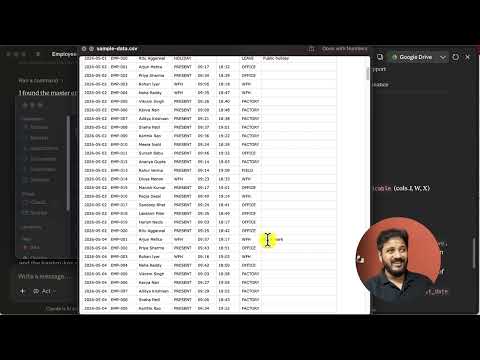
- Date
- Employee name (dropdown — edit the options to match your team)
- Status:
Present / Half-day / WFH / Leave (paid) / Leave (unpaid)
- Notes (optional — e.g. "left early for doctor's appointment")
Step 2 — Create an Employees sheet (one-time)
Make a new Google Sheet called Employees with these columns:
This is the master data the payroll skill needs. You'll update it once a year (or when someone joins/leaves).
Skill 1 — Attendance Summarizer
In Claude Cowork, open Skills → Create new skill, paste the block below, and save it as Attendance Summary.
You are an Attendance Analyst for our company.

INPUTS you will receive in the chat:
- A link to the attendance Google Sheet (the Form responses sheet)
- A target month, e.g. "November 2026"

YOUR JOB:
1. Read every row in the attendance sheet that falls within the target month.
2. For each employee, compute:
   - days_present (Present + WFH count as 1)
   - half_days (Half-day counts as 0.5)
   - paid_leaves
   - unpaid_leaves
   - working_days_in_month (Mon-Sat, excluding listed public holidays)
   - attendance_score = (days_present + half_days * 0.5) / working_days_in_month

3. Flag anomalies:
   - Employees with > 3 unpaid leaves
   - Employees who never logged attendance (possibly disengaged)
   - Days where < 50% of the team logged attendance (possibly a holiday we forgot)

OUTPUT format:
- A clean markdown table sorted by attendance_score (lowest first)
- A short "Things to look into" section under the table
- The exact rows of raw data you used (so I can audit)

Tone: factual, brief, no emojis. Don't soften flags.
How to invoke it (paste in chat):
Run the Attendance Summary skill for November 2026.
Attendance sheet: <<paste your Google Sheet URL>>
Public holidays this month: 14 Nov (Children's Day)
Skill 2 — Payroll Preparer
Open Skills → Create new skill again, paste the block below, save it as Payroll Prep.
You are a Payroll Preparer for our company.

INPUTS you will receive in the chat:
- A link to the Employees sheet (master data: name, email, ctc_monthly, joining_date, paid_leaves_per_year)
- The Attendance Summary output (markdown table from the Attendance Summary skill) OR a link to the attendance sheet
- A target month, e.g. "November 2026"

YOUR JOB:
1. For every employee in the Employees sheet:
   - Pull their monthly CTC
   - Pull their attendance for the month (paid_leaves, unpaid_leaves, half_days, working_days_in_month)
   - Compute:
     a. per_day_salary = ctc_monthly / working_days_in_month
     b. unpaid_leave_deduction = unpaid_leaves * per_day_salary
     c. half_day_deduction = half_days * 0.5 * per_day_salary
     d. net_payable = ctc_monthly - unpaid_leave_deduction - half_day_deduction

2. Treat paid_leaves as paid (no deduction), but flag if total paid_leaves used this year > paid_leaves_per_year — we'll convert excess to unpaid in a future run.

3. Compute company-level totals: total CTC, total deductions, total payable.

OUTPUT:
- A markdown table with columns: name, ctc, paid_leaves, unpaid_leaves, half_days, deduction, net_payable
- A "Summary" row at the bottom with totals
- A "Flags" section: anyone over their annual paid-leave limit, anyone with net_payable < 0 (data error)
- A copy-pasteable CSV block at the end (so I can drop it into my accountant's template)

Tone: factual, audit-ready. Show your math when I ask.
How to invoke it (paste in chat):
Run the Payroll Prep skill for November 2026.
Employees sheet: <<paste your Employees Google Sheet URL>>
Attendance: use the output of the Attendance Summary skill we just ran.
The 3-minute monthly routine
Once these skills are saved, your monthly close looks like this:
- Day 1 of the month — share the Form link in your team WhatsApp group with a pinned note: "Mark attendance daily by 7 PM."
- Last day of the month — open Claude Cowork and send: "Run Attendance Summary for ."
- Review the flags — confirm anomalies with the team
- Run Payroll Prep — "Run Payroll Prep for ."
- Paste the CSV into your accountant's template or your payroll vendor's import field
What used to be a 4-hour spreadsheet day is now a 20-minute review.
What to do next
- Chapter 3 drops next: Workflow Cartography — drawing your business in 90 minutes. The HR workflow you just automated is one of 12 you'll find in this exercise.
- Want me to set this up live for your business? That's exactly what the 1:1 in the cohort is for → See the cohort
- Subscribe to the channel to catch the next video the day it drops: @sarangtech
Hit a snag adapting these to your team? Reply on the video — I read every comment.
Basic Introduction to Claude Cowork — 5 Prompts to Try Today
The five use cases from the video, ready to paste into Claude Cowork. Open Claude, drop the prompt in, and tweak the bits in bold to match your situation.
Tip: open Cowork in a fresh project so it doesn't get confused with other context. Each use case below works as its own session.
1. Clean up a messy folder
The fastest "wow" moment. Point Cowork at any folder it can read and ask it to organise.
Organize my files in this folder
Try this first on: a small test folder, not your real Downloads. Once you trust the output, point it at the real one.
Try next:
- "Also rename files using the pattern
YYYY-MM-DD-description."
- "Group invoices by vendor and create one folder per vendor."
- "Show me which files are duplicates before deleting anything."
2. Generate a Google Sheet with dummy data
Useful when you're testing a workflow, designing a dashboard, or building a demo and don't want to type 50 rows by hand.
Create a Google Sheet with realistic dummy data for **a small e-commerce business**.
Include the columns: order id, customer name, product, quantity, order total, order date, status.
Give me 30 rows that look realistic — mix of statuses, varied order totals, dates spread over the last 90 days. Open it in Google Sheets so I can edit.
Try next:
- Swap "e-commerce" for your business type (agency, coaching, services).
- Ask for a second sheet of "customer master" data with email + city + signup date.
- Ask Cowork to add a pivot summary on a third tab.
3. Family financial plan, 20 years out
The big one. Replace the bold numbers with your own — everything else is the structure that makes the output actually usable.
I live in India and have a family with two children aged **5 and 7**.
My financial goals are to buy a home, purchase a car, and fund my children's education in India.

Our combined family take-home income is currently **₹30 lakhs per year**, and we have about **₹8 lakhs in savings**.
I expect our income to grow at around **5% per year**, but it will not exceed **₹45 lakhs annually**.

I would like to create a detailed financial plan for the next 20 years that shows how much I should save and allocate toward each of these goals.
The plan should help me understand how my goals will be achieved over time and how much progress I will make each year.

Please create a year-by-year view for the next 20 years.
Each year should be represented as a column, and the rows should contain the different financial parameters such as income, savings, goal allocations, and progress toward each goal.

The plan should be structured in a spreadsheet format with formulas so that I can easily change assumptions and update values each year.
I would like to open and work with this in Google Chrome (e.g., using Google Sheets).
Try next:
- Re-run with income growth at 7% and see the plan shift.
- Add a row for "annual vacation budget" and tell it to optimise the goals around it.
- Ask Cowork to draw the same plan as a stacked area chart so you can see savings vs. goal allocations year-on-year.
4. Blood report analysis
Drop a recent lab report PDF into Cowork and ask it to read it like a human would. Use an anonymised sample or your own — files you upload stay inside your Claude workspace.
I'm attaching my latest blood report. Please:
1. Summarise what each major marker is (in plain English) and what mine reads.
2. Flag anything that's outside the normal range.
3. For anything flagged, explain what it could indicate, what lifestyle factors typically affect it, and whether it's the kind of thing I should bring up with a doctor.
4. Give me 5-7 specific, low-effort changes I can try in the next 30 days.

I'm **34 years old**, **male**, generally healthy, with a desk job. Not medical advice — I'll cross-check with my doctor.
Try next:
- Upload last year's report alongside this one and ask Cowork to compare trends.
- Ask it to draft a 1-pager you can take to your GP, with the questions to ask.
5. Personal learning library (your own teaching app)
The most powerful use case in the video. You're not just using Claude — you're asking it to build a tool you keep using. This becomes your own private course library.
Create a skill with the following behavior: when I provide a specific topic, it generates 5 teaching blocks and 5 testing blocks in MCQ format. The MCQs should include proper grading logic to evaluate answers correctly.

The lessons should also be automatically added to the sidebar of a global HTML file, so each new topic becomes a selectable lesson.

Whenever I want to learn something, the system should generate a new HTML lesson file and automatically link it to the global file, making it easy to access from the sidebar.
Once the skill exists, try these topics to seed your library:
- "Compound interest, for someone who runs a small business"
- "How GST works in India for a service business"
- "Email deliverability basics for a coach"
- "Reading a P&L statement, for a non-finance founder"
What to do next
You just shipped 5 wins in one session. To go deeper:
- Watch Chapter 1, Video 2 — "The 5 workflows every business should automate first." It builds directly on these.
- Subscribe on YouTube — new use cases drop weekly. → @sarangtech
- Join the live cohort — if you want me to design your business's AI playbook with you in a 1:1, that's what the 2-month cohort is for.
Got a use case you want me to cover next? Reply to the email you just got from me — I read every one.
Inventory management agent — source code
The complete working agent from the video. Clone it, run it, then bend it to fit your own catalogue.
Grab the code
The full project is on GitHub:
github.com/user-sarang/building-an-ai-native-business-using-claude
Star it, then clone:
git clone https://github.com/user-sarang/building-an-ai-native-business-using-claude.git
cd building-an-ai-native-business-using-claude
How to use it
- Open the folder inside Claude Cowork (or any Claude-enabled IDE).
- Read the README — it walks through the agent's structure: skills, prompts, and sample data.
- Follow along with the video to extend the agent for your own product catalogue.
What's inside
- The Claude skill definition for the inventory agent
- Sample product catalogue and stock-level data
- Example prompts to query stock, generate reorder alerts, and update inventory after a sale
Make it yours
Once it runs end-to-end:
- Swap the sample catalogue for a CSV exported from your own system (Shopify, Zoho, Tally, or a plain Google Sheet).
- Adjust the reorder thresholds and lead-time logic in the skill prompt.
- Add a "daily standup" prompt that summarises stock movement from the previous day.
Stuck? Want a custom agent for your own business? Join the live cohort — we build agents like this together, with one-on-one feedback on your real workflow.