Building with Claude Agent SDK
What is Claude Agent SDK?
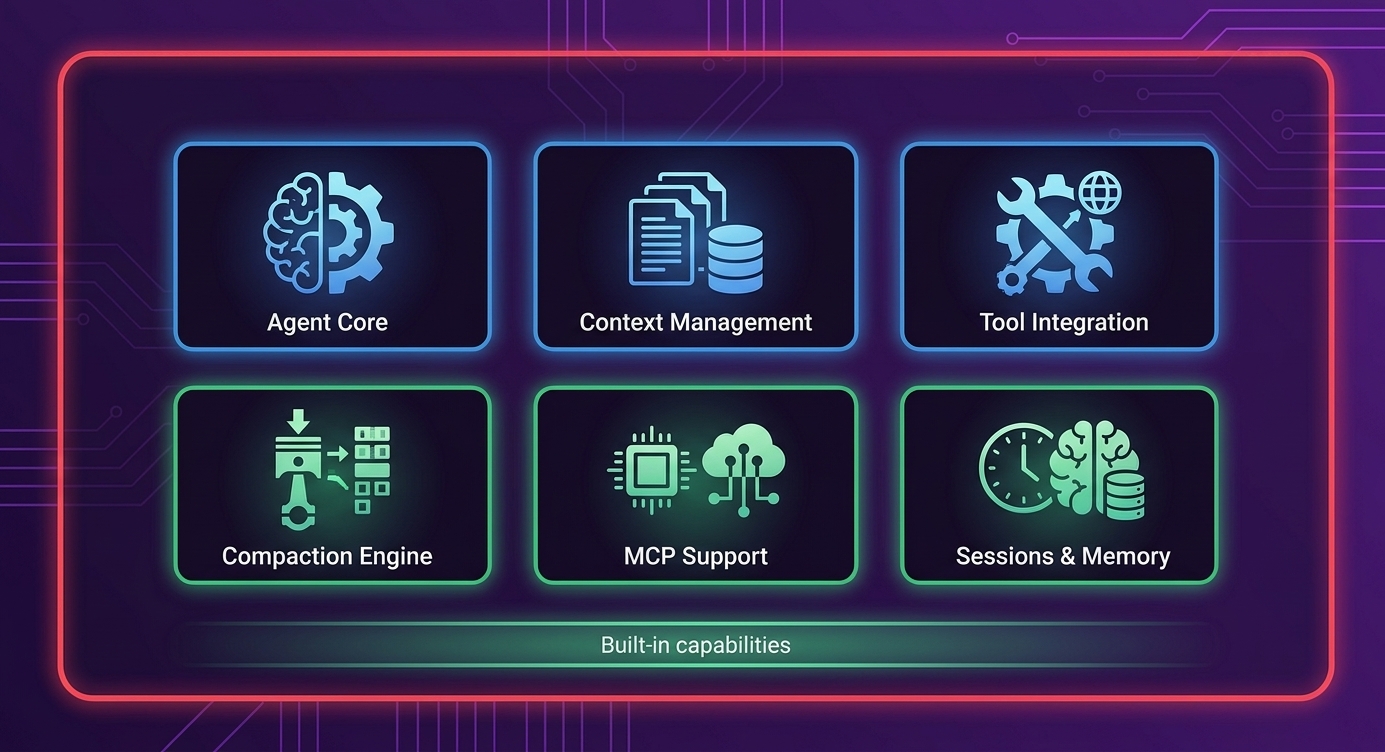
The Claude Agent SDK is Anthropic's official library for building production agent harnesses:
> "The Claude Agent SDK is a powerful, general-purpose agent harness adept at coding, as well as other tasks that require the model to use tools to gather context, plan, and execute."
It evolved from Claude Code's internal harness and was released as a standalone library.
Installation and Setup
# Install the SDK
npm install @anthropic-ai/agent-sdk

# Install optional MCP tools
npm install @anthropic-ai/mcp-filesystem
npm install @anthropic-ai/mcp-playwright
npm install @anthropic-ai/mcp-git
Basic Agent Configuration
import { Agent, AgentConfig } from '@anthropic-ai/agent-sdk';

const config: AgentConfig = {
  // Model configuration
  model: 'claude-sonnet-4-20250514',
  maxTokens: 8192,

  // Context management
  context: {
    maxContextTokens: 180000,
    compactionThreshold: 0.8, // Compact when 80% full
    compactionStrategy: 'summarize'
  },

  // Session configuration
  session: {
    persistState: true,
    stateDir: './agent-state',
    sessionTimeout: 4 * 60 * 60 * 1000 // 4 hours
  },

  // Tool configuration
  tools: {
    enabled: ['filesystem', 'bash', 'browser'],
    permissions: {
      filesystem: { read: true, write: true, root: './project' },
      bash: { allowedCommands: ['npm', 'git', 'node'] },
      browser: { headless: true }
    }
  }
};

const agent = new Agent(config);
Creating a Custom Agent
Simple Task Agent
import { Agent, Task, TaskResult } from '@anthropic-ai/agent-sdk';

async function createEcommerceAgent() {
  const agent = new Agent({
    model: 'claude-sonnet-4-20250514',
    systemPrompt: `You are an e-commerce development agent.
    Your job is to build features for an online store.
    Always write clean, tested code.
    Commit your changes frequently with descriptive messages.`,

    tools: {
      enabled: ['filesystem', 'bash', 'browser', 'git']
    }
  });

  // Define a task
  const task: Task = {
    id: 'build-product-catalog',
    description: 'Build a product catalog page with filtering and search',
    context: {
      projectDir: './ecommerce-store',
      techStack: ['React', 'TypeScript', 'TailwindCSS'],
      existingFiles: ['src/App.tsx', 'src/api/products.ts']
    },
    successCriteria: [
      'Products display in a grid layout',
      'Users can filter by category',
      'Users can search by product name',
      'Page is responsive on mobile'
    ]
  };

  // Run the agent
  const result: TaskResult = await agent.run(task);

  console.log('Task result:', result.status);
  console.log('Files created:', result.filesCreated);
  console.log('Files modified:', result.filesModified);

  return result;
}
Multi-Session Agent
import { Agent, Session, SessionManager } from '@anthropic-ai/agent-sdk';

class LongRunningAgent {
  private agent: Agent;
  private sessionManager: SessionManager;

  constructor() {
    this.agent = new Agent({
      model: 'claude-sonnet-4-20250514',
      context: {
        maxContextTokens: 180000,
        compactionThreshold: 0.75
      }
    });

    this.sessionManager = new SessionManager({
      stateDir: './sessions',
      autoSave: true,
      saveInterval: 5 * 60 * 1000 // Save every 5 minutes
    });
  }

  async startSession(taskDescription: string): Promise<Session> {
    // Check for existing session
    const existingSession = await this.sessionManager.getActiveSession();

    if (existingSession) {
      console.log('Resuming existing session...');
      return existingSession;
    }

    // Create new session
    const session = await this.sessionManager.createSession({
      task: taskDescription,
      startedAt: new Date().toISOString()
    });

    return session;
  }

  async runSession(session: Session): Promise<void> {
    // Load session state into agent
    await this.agent.loadSession(session);

    // Run until task complete or timeout
    while (!session.isComplete && !session.isTimedOut) {
      const result = await this.agent.step();

      // Update session state
      session.addStep(result);
      await this.sessionManager.saveSession(session);

      // Check completion
      if (result.taskComplete) {
        session.markComplete();
      }
    }
  }

  async endSession(session: Session): Promise<void> {
    // Create handoff document
    const handoff = await this.agent.createHandoff();

    // Save final state
    await this.sessionManager.finalizeSession(session, handoff);

    console.log('Session ended. Handoff created.');
  }
}
Context Management
Compaction Configuration
import { Agent, CompactionConfig } from '@anthropic-ai/agent-sdk';

const compactionConfig: CompactionConfig = {
  // When to trigger compaction
  threshold: 0.8, // 80% context usage

  // How to compact
  strategy: 'hybrid', // 'summarize' | 'prune' | 'hybrid'

  // What to preserve
  preserve: {
    systemPrompt: true,
    recentMessages: 10,
    importantContext: ['current_task', 'critical_decisions'],
    codeSnippets: true
  },

  // Summarization settings
  summarization: {
    model: 'claude-haiku-3-20240307', // Fast model for summaries
    maxSummaryTokens: 2000,
    includeKeyDecisions: true
  }
};

const agent = new Agent({
  model: 'claude-sonnet-4-20250514',
  context: {
    maxContextTokens: 180000,
    compaction: compactionConfig
  }
});
Manual Context Management
// Check context usage
const usage = await agent.getContextUsage();
console.log(`Context: ${usage.usedTokens}/${usage.maxTokens} (${usage.percentUsed}%)`);

// Force compaction
if (usage.percentUsed > 90) {
  await agent.compactContext();
}

// Add important context that survives compaction
await agent.addPersistentContext({
  key: 'project_requirements',
  content: 'Building an e-commerce store with React and Node.js',
  priority: 'high'
});

// Clear non-essential context
await agent.clearTransientContext();
MCP Tool Integration
Setting Up MCP Tools
import { Agent } from '@anthropic-ai/agent-sdk';
import { FilesystemMCP } from '@anthropic-ai/mcp-filesystem';
import { PlaywrightMCP } from '@anthropic-ai/mcp-playwright';
import { GitMCP } from '@anthropic-ai/mcp-git';

const agent = new Agent({
  model: 'claude-sonnet-4-20250514',

  mcpServers: [
    new FilesystemMCP({
      rootDir: './project',
      allowedOperations: ['read', 'write', 'delete', 'mkdir']
    }),

    new PlaywrightMCP({
      headless: true,
      screenshotDir: './screenshots',
      defaultTimeout: 30000
    }),

    new GitMCP({
      repoDir: './project',
      allowPush: false, // Safety: don't push automatically
      commitAuthor: 'AI Agent <agent@example.com>'
    })
  ]
});

// Agent can now use these tools naturally
await agent.run({
  description: 'Create a new React component and test it in the browser'
});
Custom MCP Tool
import { MCPServer, MCPTool } from '@anthropic-ai/agent-sdk';

// Create a custom MCP tool for your domain
class EcommerceMCP extends MCPServer {
  name = 'ecommerce';

  tools: MCPTool[] = [
    {
      name: 'get_products',
      description: 'Fetch products from the catalog',
      parameters: {
        category: { type: 'string', optional: true },
        limit: { type: 'number', default: 10 }
      },
      handler: async (params) => {
        const products = await this.fetchProducts(params);
        return { products };
      }
    },
    {
      name: 'create_product',
      description: 'Add a new product to the catalog',
      parameters: {
        name: { type: 'string', required: true },
        price: { type: 'number', required: true },
        category: { type: 'string', required: true }
      },
      handler: async (params) => {
        const product = await this.createProduct(params);
        return { success: true, product };
      }
    }
  ];

  private async fetchProducts(params: any) {
    // Implementation
  }

  private async createProduct(params: any) {
    // Implementation
  }
}

// Use custom MCP
const agent = new Agent({
  model: 'claude-sonnet-4-20250514',
  mcpServers: [new EcommerceMCP()]
});
Building the E-Commerce Harness
import { Agent, AgentHarness, Task, TaskQueue } from '@anthropic-ai/agent-sdk';

class EcommerceHarness extends AgentHarness {
  private featureQueue: TaskQueue;

  constructor() {
    super({
      name: 'ecommerce-builder',
      agent: new Agent({
        model: 'claude-sonnet-4-20250514',
        systemPrompt: this.getSystemPrompt()
      })
    });

    this.featureQueue = new TaskQueue();
  }

  private getSystemPrompt(): string {
    return `You are building an e-commerce store.

Tech Stack:
- Frontend: React + TypeScript + TailwindCSS
- Backend: Node.js + Express
- Database: PostgreSQL

Guidelines:
- Write clean, maintainable code
- Follow React best practices
- Include TypeScript types
- Commit frequently with descriptive messages
- Test your work using browser automation`;
  }

  async addFeature(feature: Feature): Promise<void> {
    const task: Task = {
      id: feature.id,
      description: feature.description,
      priority: feature.priority,
      acceptanceCriteria: feature.criteria
    };

    await this.featureQueue.add(task);
  }

  async run(): Promise<void> {
    while (!this.featureQueue.isEmpty()) {
      const task = await this.featureQueue.next();

      console.log(`\n🔨 Starting: ${task.description}`);

      const result = await this.agent.run(task);

      if (result.success) {
        console.log(`✅ Completed: ${task.description}`);
        await this.featureQueue.markComplete(task.id);
      } else {
        console.log(`❌ Failed: ${task.description}`);
        console.log(`   Reason: ${result.error}`);

        // Retry or escalate
        if (task.attempts < 3) {
          await this.featureQueue.retry(task.id);
        } else {
          await this.featureQueue.escalate(task.id);
        }
      }
    }

    console.log('\n🎉 All features complete!');
  }
}

// Usage
const harness = new EcommerceHarness();

await harness.addFeature({
  id: 'auth',
  description: 'User authentication system',
  priority: 1,
  criteria: ['Login', 'Register', 'Password reset']
});

await harness.addFeature({
  id: 'products',
  description: 'Product catalog with search',
  priority: 2,
  criteria: ['List products', 'Search', 'Filter by category']
});

await harness.run();
Key Takeaways
- Claude Agent SDK is production-ready - Built from Claude Code internals
- Context management is built-in - Compaction handles long sessions
- MCP integration enables tools - Filesystem, browser, git, custom
- Session management persists state - Work across multiple runs
- Harness pattern organizes agents - Queue tasks, track progress
Practice Exercise
Build a documentation generator using Claude Agent SDK:
- Configure the agent with filesystem and git MCP
- Implement a task to scan code and generate docs
- Add context management for large codebases
- Create a session that persists across runs
Next Lesson
Finally, let's explore Production Deployment & Monitoring - how to deploy and operate agent harnesses at scale.